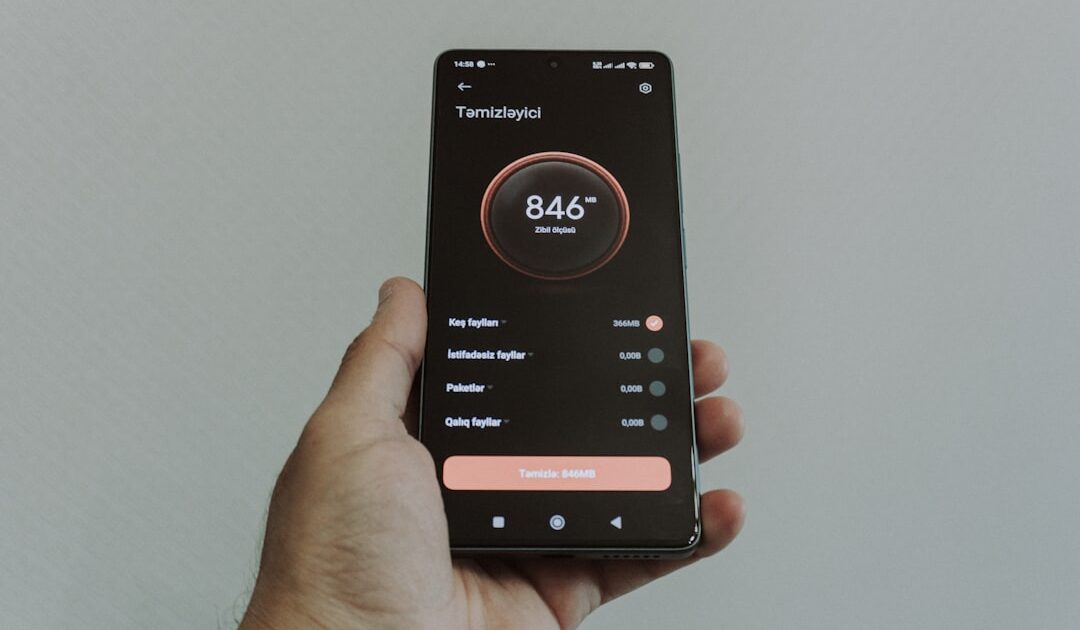
Are you tired of using websites or apps that are clunky, confusing, and downright frustrating? You’re not alone. In today’s digital age, a well-designed user interface (UI) and user experience (UX) can make all the difference between a successful product and one that falls flat. As a designer, developer, or business owner, understanding the principles of UI UX design is crucial for creating digital experiences that delight and engage your users. In this comprehensive guide, we’ll dive into the world of UI UX design, exploring its fundamentals, best practices, and latest trends.
Introduction to UI UX Design
UI UX design is a multidisciplinary field that combines psychology, design, and technology to create products that are both aesthetically pleasing and functional. The term “UI” refers to the visual elements of a product, such as buttons, typography, and color schemes, while “UX” encompasses the overall experience of using a product, including its usability, accessibility, and emotional resonance. A good UI UX design should strike a balance between form and function, making it easy for users to navigate and interact with a product while also providing a satisfying and enjoyable experience.
To achieve this balance, designers use a range of tools and techniques, including user research, wireframing, prototyping, and usability testing. User research involves gathering data about your target audience, including their needs, behaviors, and motivations. This information is then used to inform the design process, ensuring that the product meets the needs of its users. Wireframing and prototyping involve creating low-fidelity sketches and high-fidelity mockups of the product, respectively, to visualize and test its layout, functionality, and overall user experience.
Principles of Good UI UX Design
So, what makes for good UI UX design? Here are some key principles to keep in mind:
- Clarity: A clear and intuitive design is essential for helping users understand how to use a product. This involves using simple, concise language, and avoiding clutter and unnecessary features.
- Consistency: Consistency is key to creating a cohesive and predictable user experience. This involves using a consistent visual design language, as well as following established design patterns and conventions.
- Feedback: Providing timely and relevant feedback is crucial for letting users know what’s happening with their actions. This can include things like loading animations, error messages, and success notifications.
- Accessibility: Accessibility is about designing products that can be used by everyone, regardless of their abilities or disabilities. This involves following established accessibility guidelines, such as the Web Content Accessibility Guidelines (WCAG 2.1).
- Emotional Connection: Creating an emotional connection with your users is essential for building brand loyalty and engagement. This involves using design elements like color, typography, and imagery to create a positive and engaging atmosphere.
- Sketch: A digital design tool that’s popular among UI UX designers, Sketch offers a range of features, including vector editing, prototyping, and collaboration.
- Figma: A cloud-based design tool that’s similar to Sketch, Figma offers real-time collaboration, vector editing, and prototyping.
- Adobe XD: A user experience design software that’s part of the Adobe Creative Cloud, Adobe XD offers a range of features, including wireframing, prototyping, and usability testing.
- InVision: A design platform that offers a range of tools, including wireframing, prototyping, and usability testing, InVision is popular among UI UX designers and product teams.
- UserTesting: A usability testing platform that allows you to test your products with real users, UserTesting provides valuable feedback and insights to help you improve your design.
- Mobile-First Design: With more and more users accessing digital products on their mobile devices, mobile-first design is becoming increasingly important. This involves designing for small screens first, and then adapting your design for larger screens.
- Artificial Intelligence (AI) and Machine Learning (ML): AI and ML are being used to create more personalized and intuitive user experiences. This involves using data and analytics to inform design decisions, and creating products that can learn and adapt to user behavior.
- Accessibility and Inclusive Design: Accessibility and inclusive design are becoming increasingly important, as designers recognize the need to create products that can be used by everyone. This involves following established accessibility guidelines, and designing products that are flexible and adaptable.
- Sustainable Design: Sustainable design is about creating products that are environmentally friendly, and that promote sustainable behaviors. This involves using design elements like color, typography, and imagery to create a positive and engaging atmosphere, while also reducing waste and minimizing environmental impact.
- Design Systems: Design systems are becoming increasingly popular, as they provide a way to manage and maintain consistency across multiple products and teams. This involves creating a shared design language, and using tools and software to manage and maintain design assets.
- UI UX design is all about putting the user first, and creating experiences that meet their needs and exceed their expectations.
- Good UI UX design involves following principles like clarity, consistency, feedback, accessibility, and emotional connection.
- There are many tools and software available to help you design, prototype, and test your products, including Sketch, Figma, Adobe XD, InVision, and UserTesting.
- Current trends and best practices in UI UX design include mobile-first design, AI and ML, accessibility and inclusive design, sustainable design, and design systems.
- By following these principles, using the right tools and software, and staying up-to-date with the latest trends and best practices, you can create digital products that are functional, enjoyable, and sustainable.
By following these principles, you can create digital products that are both functional and enjoyable to use. Remember, UI UX design is all about putting the user first, and creating experiences that meet their needs and exceed their expectations.
UI UX Design Tools and Software
As a UI UX designer, you’ll need a range of tools and software to help you design, prototype, and test your products. Here are some of the most popular ones:
These tools and software can help you streamline your design process, collaborate with team members, and create high-quality digital products that meet the needs of your users.
UI UX Design Trends and Best Practices
As with any field, UI UX design is constantly evolving, with new trends and best practices emerging all the time. Here are some of the current trends and best practices to watch out for:
By following these trends and best practices, you can create digital products that are not only functional and enjoyable to use, but also sustainable, accessible, and inclusive.
Conclusion and Key Takeaways
In conclusion, UI UX design is a complex and multifaceted field that requires a deep understanding of psychology, design, and technology. By following the principles of good UI UX design, using the right tools and software, and staying up-to-date with the latest trends and best practices, you can create digital products that delight and engage your users. Here are the key takeaways from this guide:
We hope this guide has provided you with a comprehensive introduction to the world of UI UX design. Whether you’re a designer, developer, or business owner, we encourage you to continue learning and exploring the many facets of this exciting and rapidly evolving field.
Leave a Reply